


Filming had just wrapped at Miele's compact living concept kitchen at Milan Design Week, and my laptop was doing everything at once - pulling video from the camera, audio from the mics, and uploading files all to Dropbox through my iPhone's hotspot. With the laptop powering the whole sync, its battery was draining fast, and the phone wasn't far behind. Both spent the next hour plugged into the power bank in my bag.
Most power banks spend their lives topping up phones. The Belkin BoostCharge Pro 3-Port Laptop Power Bank 20K is aimed at days like that one, when more than a phone needs charging and an outlet isn't close by.
One afternoon like that would make a decent demo. Milan gave it a full week of them, and the BoostCharge Pro handled it without much thought from me. Whether it earns a place in your bag depends on how often your days look like that one.
The BoostCharge Pro 20K spent Milan Design Week living in the side of my bag.
Essentials
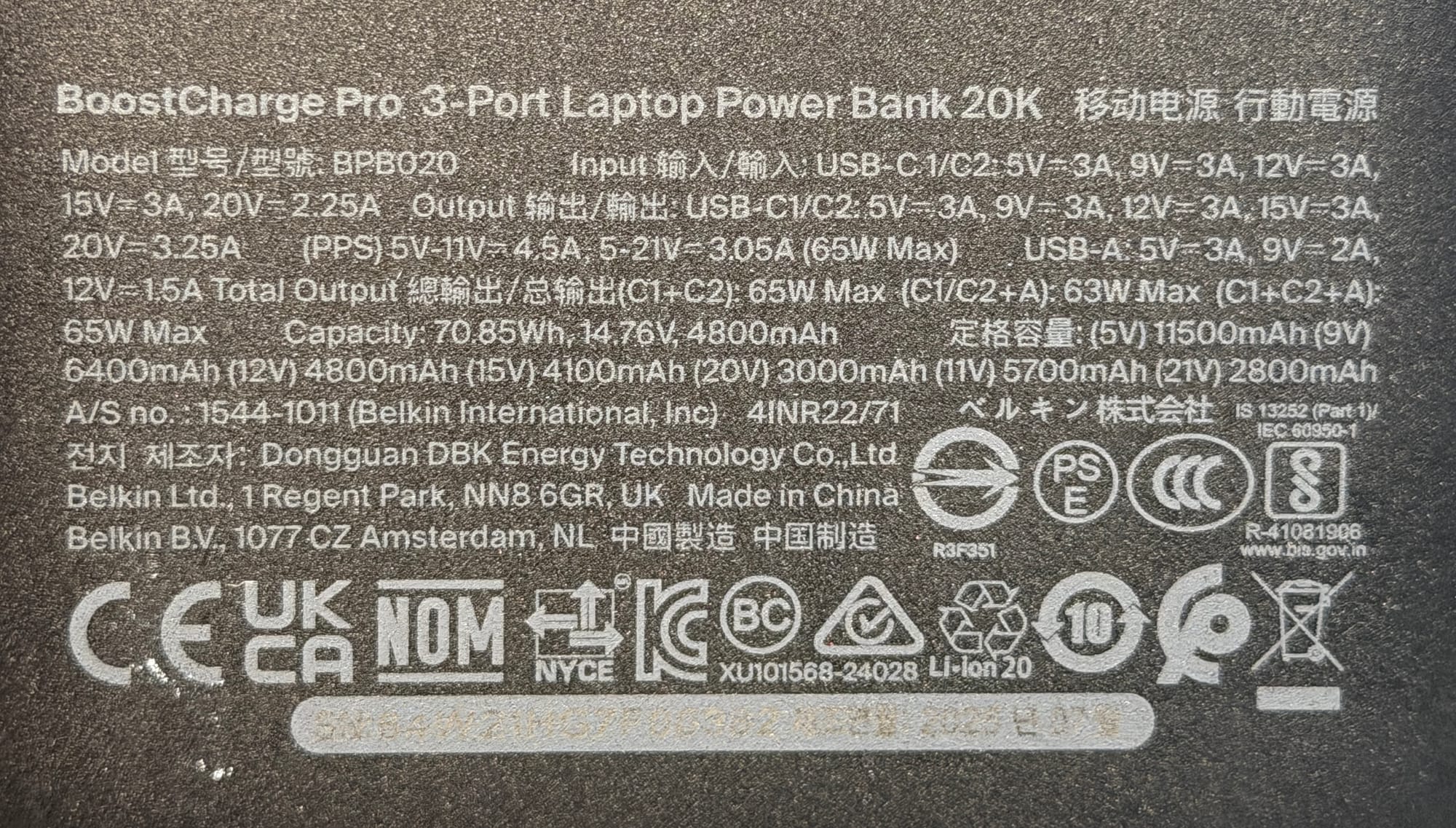
- Capacity: 20,000mAh (with up to 65W USB-C Power Delivery output). Enough for roughly four full iPhone 17 Pro charges, or most of a 14-inch MacBook Pro.
- Ports: 2 x USB-C and 1 x USB-A, charging up to three devices at once. No pass-through charging, so the bank needs its own turn at the wall.
- Weight: 380g. The honest cost of the capacity.
- Materiality: A matte black recycled-plastic shell that hides fingerprints and looks quietly professional next to glossier alternatives.
- The Cable: A 60cm USB-C to USB-C cable in the box, rated to 60W. Short enough to stay tidy, long enough to reach a laptop on a tray table.
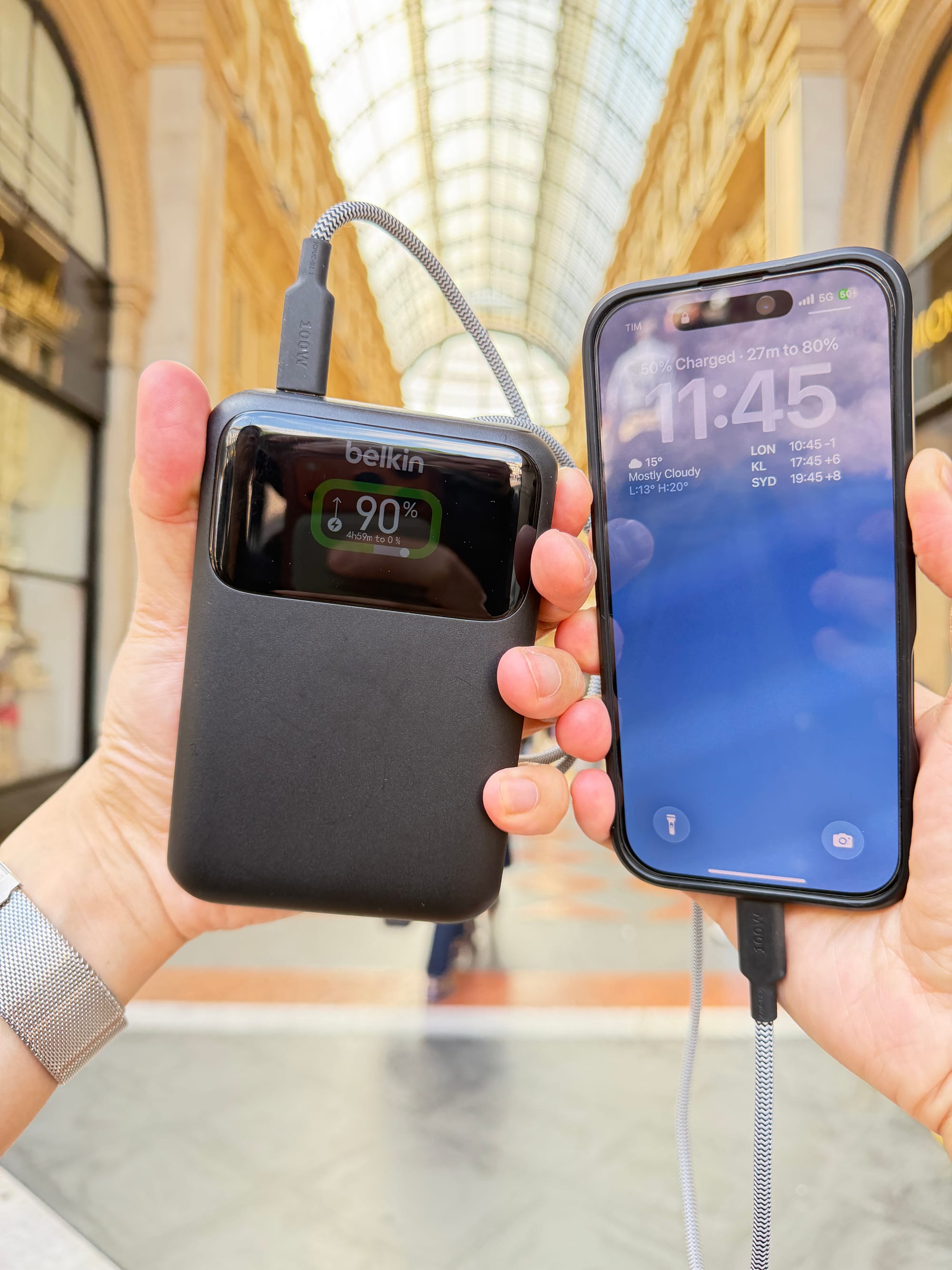
- The Screen: A full-colour digital display showing live wattage for each port, estimated runtime, and - while recharging - how long until the bank itself is full. Not just a battery percentage.
- Recharging: Up to 45W USB-C input refills the bank itself in around two hours.
- Travel Ready: At about 70.8Wh it sits comfortably under the 100Wh airline limit for carry-on batteries, so it flies wherever you do.
Using It
The pairing that matters here is 20,000mAh and 65W. Plenty of banks offer one or the other; it's the combination that makes laptops fair game.
In practice, 65W meaningfully recharges my 14-inch MacBook Pro while I work, rather than politely slowing the drain. It took my M4 MacBook Pro from flat to 50 per cent in about 40 minutes.
It fast charges my iPhone 17 Pro too, but a phone barely stretches its legs here. The output earns its keep on laptops, tablets and cameras.
The clearest example came in Milan. I've been with Colin, behind the scenes of some Never Too Small shoot, we had been filming Miele's new concept kitchen, and once the cameras were down we transferred the footage to a laptop and uploaded around 20GB over 5G to the team sleeping in Melbourne.
That workflow eats batteries. The iPhone was acting as the hotspot for everything and the laptop was busy powering the camera and mic while all the data copies across. Instead of a pocketful of chargers, the BoostCharge Pro became the power source for the whole setup.
Three devices at once is the point of the three ports. Used on its own, either USB-C port delivers the full 65W. With everything plugged in, the two USB-C ports share 45W while the USB-A port supplies up to 15W - enough to keep a laptop and phone moving while an accessory tops up.
On capacity, 20,000mAh recharges my iPhone around four times, or delivers most of a full charge to the MacBook Pro. All these numbers mean I never had to worry about running flat during Milan Design Week.
The Display
The display ended up being my favourite features of this power bank.
Beyond a battery percentage, it shows the live power output of each port and estimates how long the remaining charge will last at the current rate of use. Plug the bank in to recharge and it flips to a countdown of how long until it's full.
It also settled some old scores in my cable bag. Watching the real wattage flow made it obvious which USB-C cables actually deliver their advertised speeds (two of mine have been thrown away since).
It's the sort of feature that sounds unnecessary until you use it. After a week of seeing exactly where the power goes, a plain percentage readout feels like guesswork.
Where It Fits
At 380g, this is not the bank you slip into a jacket pocket. That weight is the trade-off for the larger battery and higher output, and it's worth being clear-eyed about.
It makes sense when you're carrying more than a phone. Cameras, laptops, tablets and portable work setups are where the capacity and output become worthwhile - flights, conferences, cafes, airport lounges and hotel lobbies are its natural habitat.
For me, it earned its place on long days away from the hotel. Knowing the phone, camera and laptop were all covered removed a surprising amount of low-level stress from the day.
Small Details
Belkin includes a 60cm USB-C to USB-C cable rated to 60W - short enough to stay tidy in a bag, long enough to reach a laptop on a tray table.
The matte black finish hides fingerprints and looks quietly professional next to the glossy plastic of cheaper alternatives.
The housing is made from recycled plastic and the packaging is completely plastic-free. It won't solve the electronics industry's waste problem, but it's the right direction, and it deserves noting.
Trust and Charging
A power bank is a lithium-ion battery you carry onto planes and plug into your most expensive devices, so trust is part of the spec sheet.
Belkin's SmartProtect suite - its name for a set of built-in safety features - monitors temperature, protects against over-voltage, short circuits and overloads, and uses fire-resistant materials in the housing.
Recharging the bank itself, Belkin quotes around 1 hour 45 minutes from a 45W USB-C PD charger. I used the 65W charger I already travel with for the MacBook - thanks to USB Power Delivery, the bank simply draws what it needs, up to its 45W maximum - and a full recharge took around two hours. Charging also eases off if the battery runs warm, which is the behaviour you want from something living in a warm bag.
One genuine limitation: no pass-through charging. The bank can't recharge itself and a device at the same time, which means it will need its own plug at night to charge.
Belkin backs it with a two-year warranty plus a $2,500 Connected Equipment Warranty - in plain English, if the bank malfunctions and damages a device properly connected to it, Belkin covers that device up to $2,500.
Price and Availability
The Belkin BoostCharge Pro 3-Port Laptop Power Bank 20K has an RRP of $159.95 AUD, in matte black.
Available from:
- Amazon Australia (affiliate link)
- Belkin Australia
- JB Hi-Fi
- Harvey Norman
There are 20,000mAh banks around for half this price, but many cheaper alternatives offer lower 20-30W output and tell you nothing about where the power is going. The extra spend buys genuine laptop charging, the per-port display and a warranty that covers the gear you plug in - the difference between a big battery and a travelling power hub.
Tech That Fits Take
The BoostCharge Pro 20K isn't the lightest power bank you can buy, and it isn't the cheapest way to carry 20,000mAh. It's a deliberate piece of travel infrastructure for people whose day runs on a laptop, a camera and a phone at once - and judged as that, it's excellent.
The display is the surprise standout. Live per-port wattage and runtime estimates turn charging from an act of faith into information, and it remains uncommon on cheaper battery banks.
If you only ever top up a phone, skip it - a 10K bank at half the weight, like the Belkin BoostCharge Power Bank 10K I reviewed earlier this year, will serve you better.
But if your day depends on keeping several devices alive away from a desk, this one earns its place. In Milan it didn't just charge my gear; it took power outlets off my list of things to think about.
Disclosure: The Belkin BoostCharge Pro 20K was supplied for review. Editorial Policy.