


Earlier this year I gave up my office and started rethinking how my workspace fits into the apartment. I needed more screen space, but not something that would permanently take over the dining table.
I tried a few options. Moving my office monitor worked, but its size dominated the table even when it wasn’t in use. I also tried running a Mac mini through the TV, which sounded good in theory, but the posture was poor and the distance made it hard to work comfortably.
The espresso Pro 15 solved that problem nicely.
It’s a 15.6-inch 4K portable touchscreen monitor that runs from a single USB-C cable, paired with the magnetic espresso Stand+. When I’m finished working, the whole setup packs away in seconds.
Essentials
- Display: 15.6-inch LCD touchscreen
- Resolution: 4K (3840 × 2160) at 60Hz
- Brightness: 550 nits
- Colour: 1.07 billion colours (100% Adobe RGB)
- Connection: USB-C single cable with power passthrough
- Touch support: macOS and Windows
- Build: Aluminium chassis
- Audio: Built-in speakers
Living With It
I’d seen Espresso displays in JB Hi-Fi before, but it wasn’t until I tried one in the American Express lounge in Las Vegas on the way back from CES 2026 that it clicked.
The stand system immediately impressed me, but the older model’s large lower bezel stood out. If you run two screens side by side, that thicker bottom edge feels slightly awkward.
The espresso Pro 15 improves this significantly, with a slimmer black bezel and no visible logo, making it feel much cleaner alongside a laptop.
Setup is exactly what espresso promises.
Plug in a single USB-C cable and the display works immediately.
For basic use, that’s really all you need. Installing espressoFlow software improves the experience with easier screen rotation, smoother cursor movement between displays and more flexible arrangements, but the monitor works fine without it.
Most of the time, I run the Pro 15 beside my 14-inch MacBook Pro, which feels like a very natural pairing.
When travelling during Chinese New Year earlier this year, I switched to a vertical stacked setup, placing the espresso display above my laptop. Hotel desks are often tiny, so having the option to stack screens turned out to be surprisingly useful.
That flexibility is one of the best parts of the system.
And when I’m done working, the whole thing disappears.
That matters more than I expected.
Display Quality
The 15.6-inch 4K panel looks sharp and bright in everyday use.
Text is crisp and comfortable for long working sessions, and colours look excellent. The glossy finish does introduce some reflections, but unless you’re sitting in direct sunlight it hasn’t been much of a problem.
I was initially a little worried about the 60Hz refresh rate, but in practice it hasn’t mattered much. If I’m doing anything where refresh rate matters, I simply keep that window on my MacBook Pro display.
Stand+ and Portability
The espresso Stand+ is one of the best parts of the system.
It uses a magnetic mount and allows the display to be positioned in several configurations, whether side-by-side, stacked vertically or adjusted at different viewing angles.
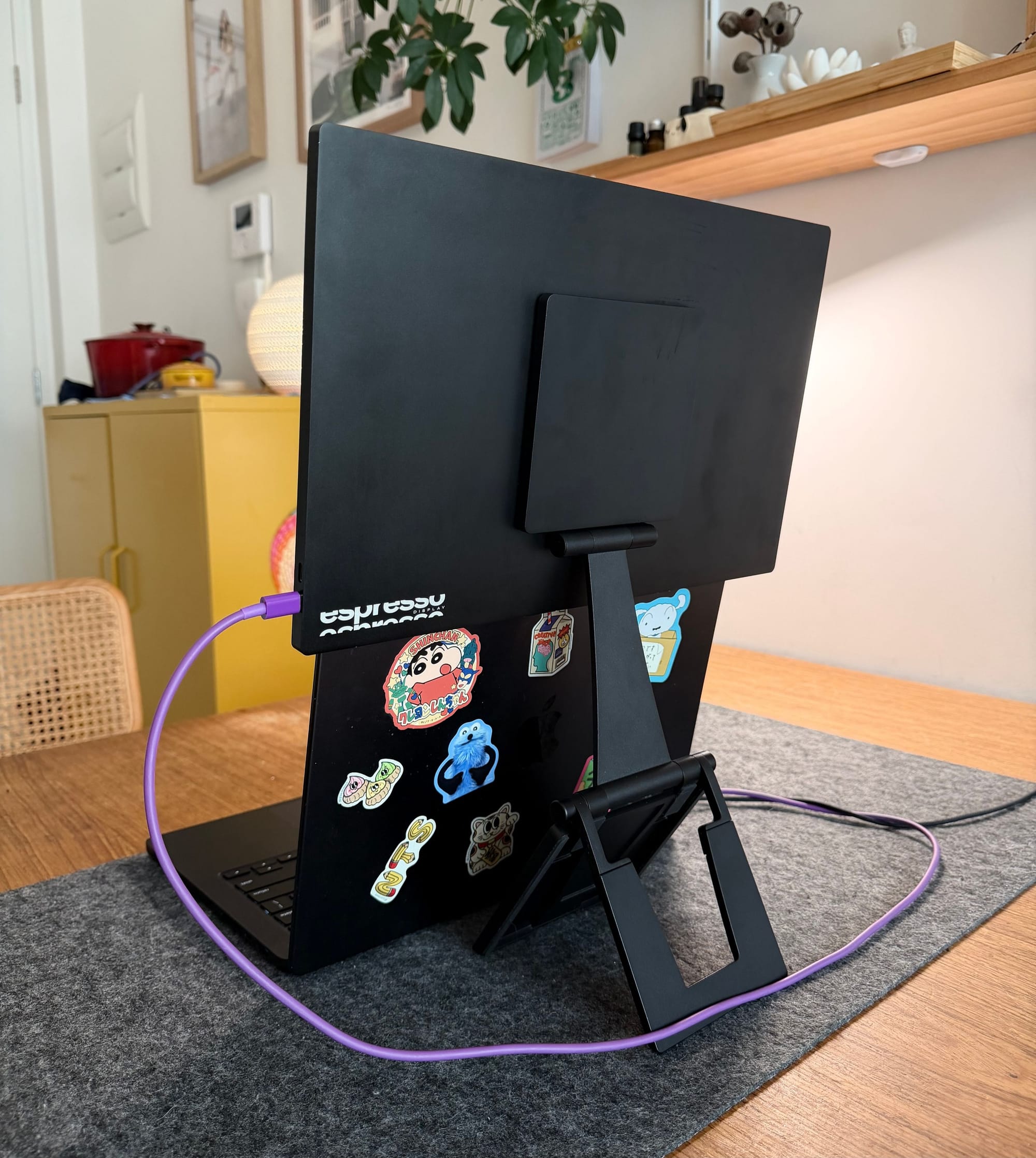
The stand itself feels stable, and the only times I’ve knocked the screen off were when I didn’t align the magnet properly in the centre.
One of the biggest practical wins is the single-cable setup.
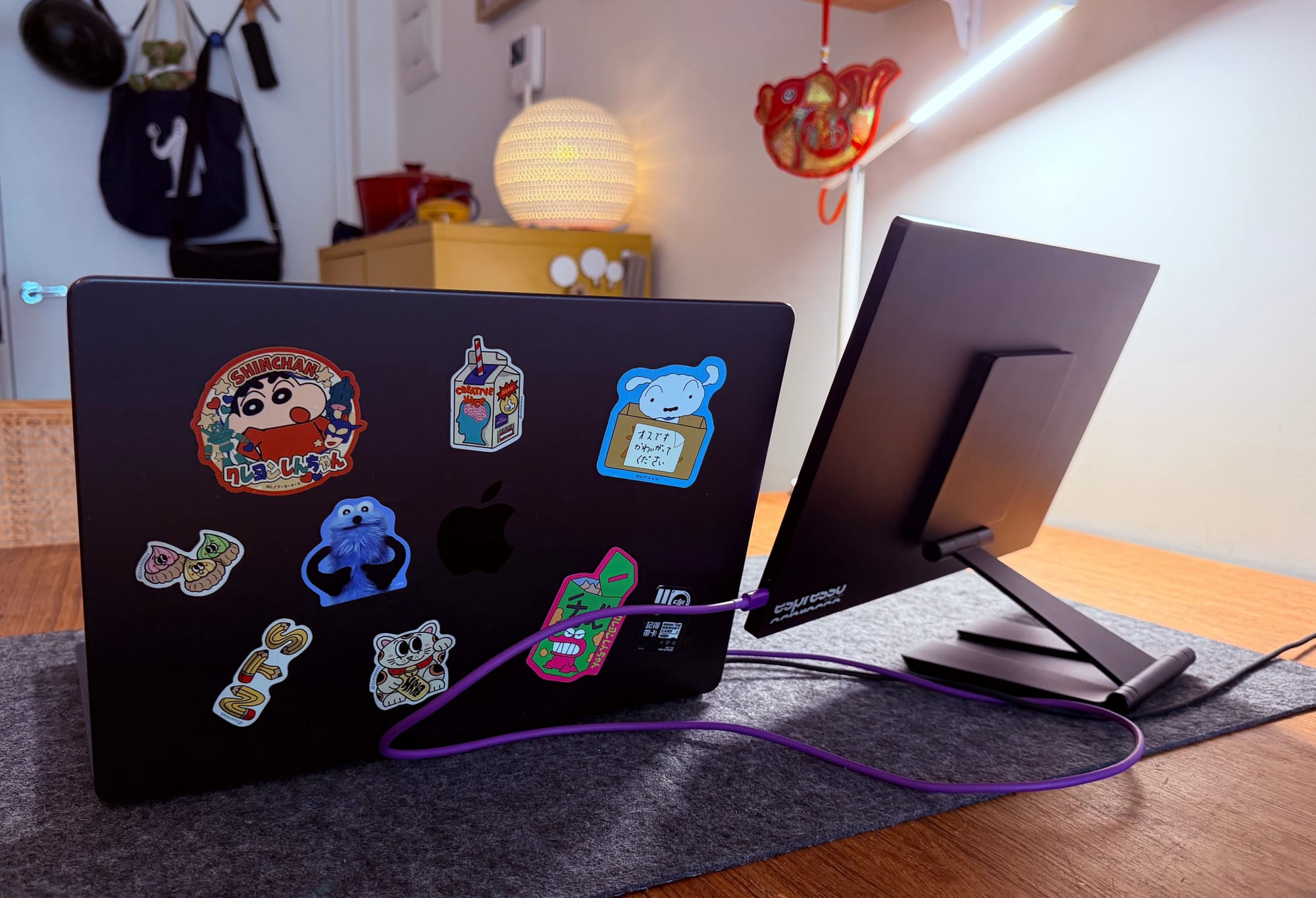
The display draws power directly from the connected laptop, which means there’s no separate power brick or messy cable setup.
The trade-off is battery drain.
At full brightness it pulls around 13 watts, so longer sessions away from power will drain your laptop faster. Still, I’d much rather deal with that than carry another charger.
Worth Knowing
The touchscreen works well, but in reality it’s not something I use very often. Most of the time, I simply treat the espresso Pro 15 as a traditional second monitor.
The built-in speakers are also fairly forgettable. They’re fine for the occasional notification sound, but realistically you’ll just use your laptop speakers.
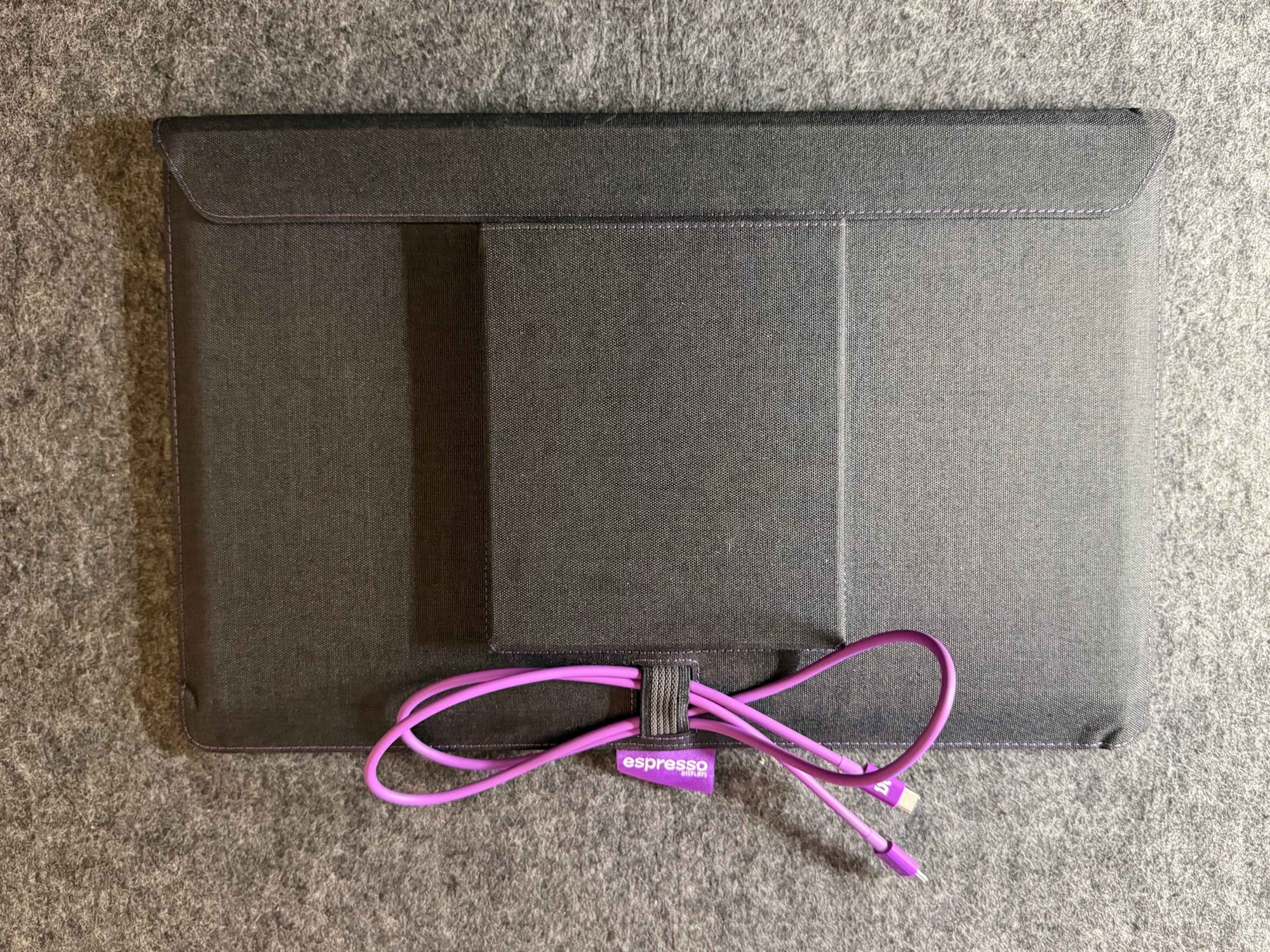
Espresso sells a range of optional accessories, including cases, screen protectors, privacy filters and stylus pens.
I bought the case, and honestly, it’s hard not to feel like it should be included at this price.
It’s well designed, holds both the display and Stand+ together neatly, and makes the whole setup easier to travel with. But because it feels so essential, it’s hard to see it as a genuine optional extra.
Downsides
The biggest downside is the price.
Portable 4K monitors are still expensive, and features like touchscreen support may add cost for something many people rarely use.
Durability could also be better. I dropped the display once and chipped the casing slightly, exposing the metal underneath. A quick Sharpie fix hid the mark, but it’s not ideal.
And after living with it for a while, I actually wish I had bought the 17-inch version instead.
The 15-inch model works beautifully with a 14-inch laptop, but the larger version would offer more usable screen space for my mostly home-based setup.
I originally bought the 15-inch thinking I’d spend more time moving between cafés and co-working spaces. In reality, I’ve mostly used it at home, where the larger display probably would have made more sense.
Pricing
The espresso Pro 15 costs $1,099 AUD.
Verdict
The espresso Pro 15 is a clever solution for people who want more screen space without committing to a permanent desk monitor.
If you work from cafés, travel frequently, or live in a small apartment where a full-size monitor doesn’t make sense, it’s an excellent option. The sharp 4K panel, flexible stand design and simple single-cable setup make it surprisingly easy to live with.
At $1,099 AUD, it’s expensive, and features like the touchscreen may go unused for some people.
Cheaper portable monitors are out there, but the espresso Pro 15 makes a strong case for itself with a sharp 4K panel, clever stand system and a setup that's genuinely flexible to live with.